
Does MPPL save my checkout history?
By default, MPPL does not save patron checkout history. Patrons choose for themselves to opt-in and enable this service.
How do I enable and save my checkout history?
To save your checkout history, please follow these steps:
- Log in to My Account
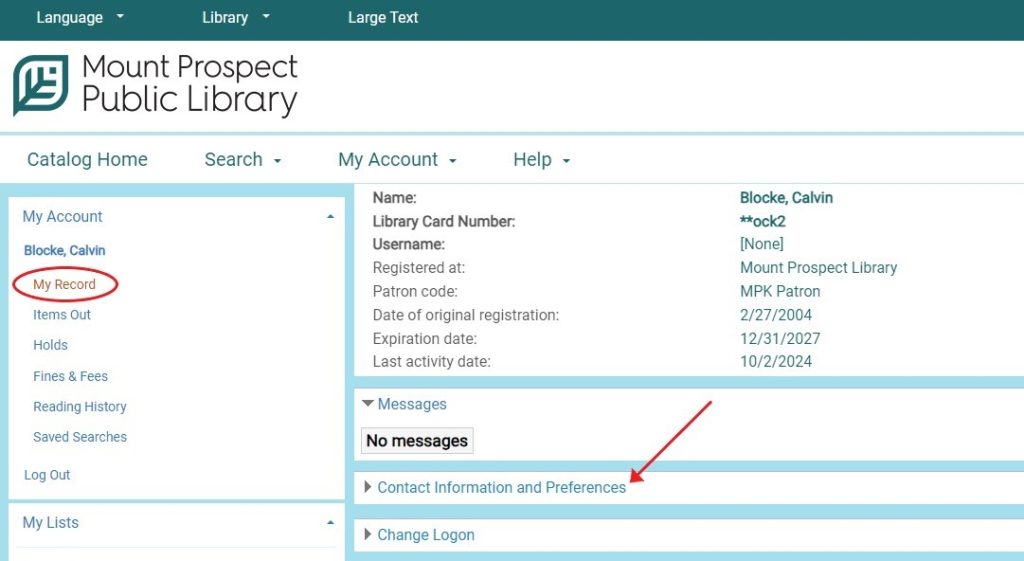
- From the menu on the left, select “My Record” then “Contact Information and Preferences”
- Scroll down to “Preferences” and check “Maintain reading history”
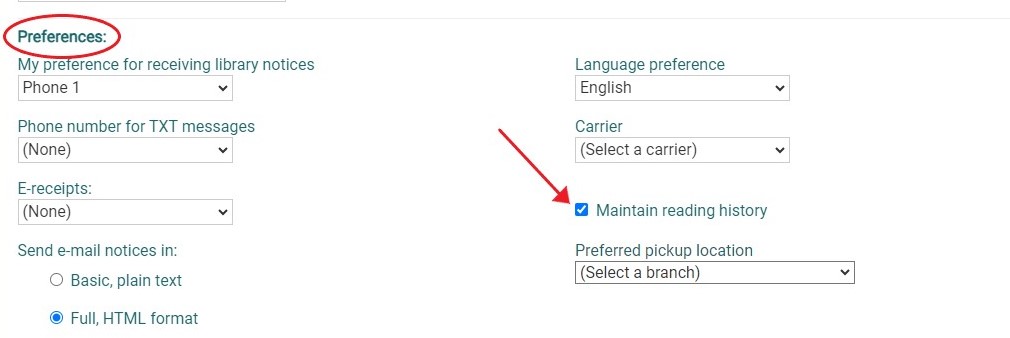
From this point on, the catalog will maintain a list of the items you check out.
If I come to the Library, can someone help me set this up?
Yes, of course. Please come to Patron Services, we are happy to help you.